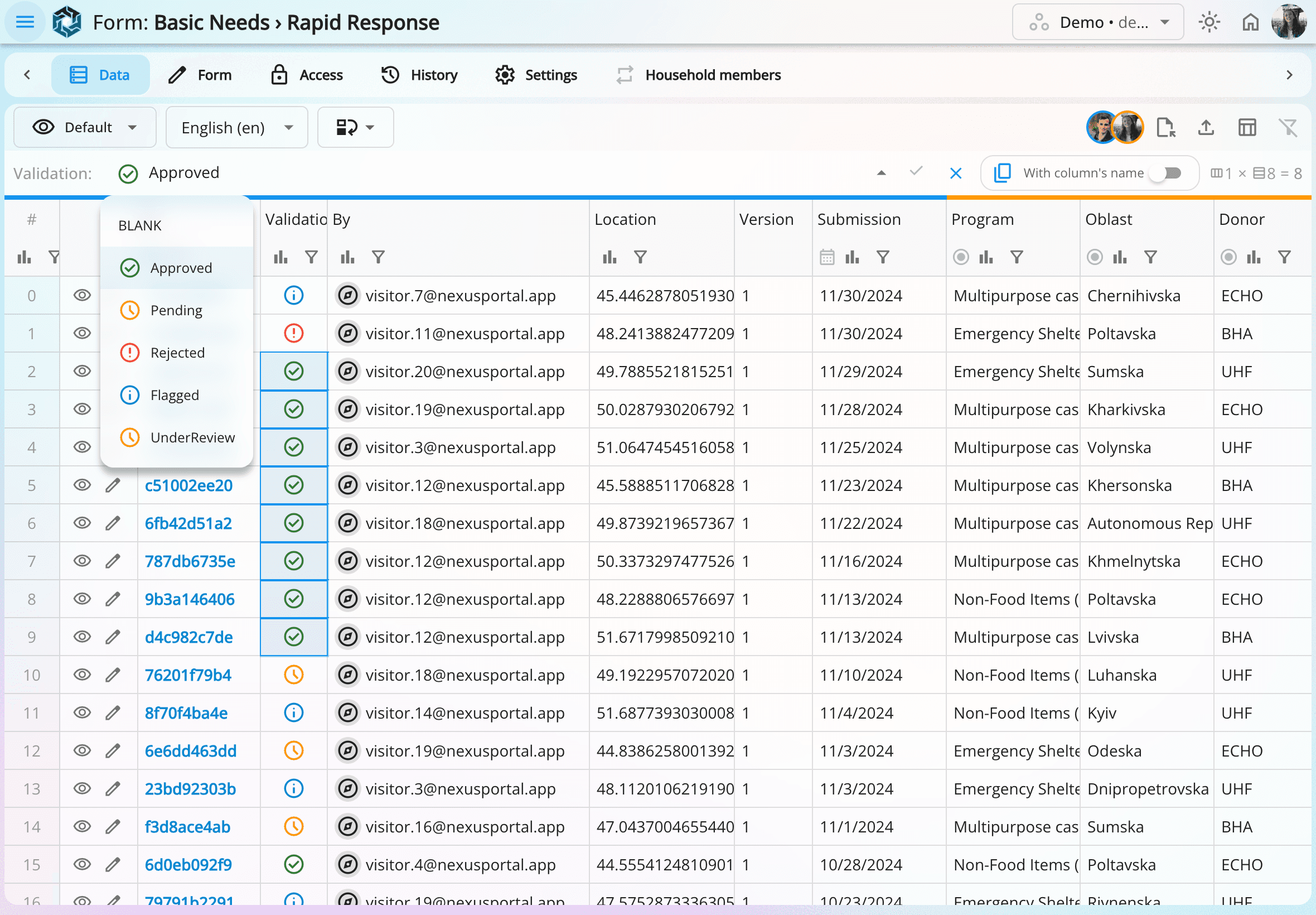
Full control of your data
A powerful, intuitive interface inspired by spreadsheets, designed to keep your data consistent.


Data lives in multiple forms and tools, so teams spend days cleaning and reconciling just to answer simple questions.
Data gets copied across workflows and quickly diverges, reports stop matching, audits become difficult, and access rights are hard to maintain, creating real data-protection risks.
As a result, teams waste time fixing data instead of using it.
NexusPortal replaces fragile workflows like
KoboToolbox → Excel → PowerBI
with one coherent system so your team can work in one place instead of moving data between tools.
Data stays aligned, permissions update automatically from your organisation's accounts, calculations run, and dashboards feed real-time data so your team can focus on decisions, not fixes.
Run an entire mission with a single person. Avoid hiring just to clean data errors or handle tasks that should be automated. Keep workflows simple and predictable.
No more broken dashboards, duplicate sources, questionable edits, or mystery metrics. Everything is accurate, traceable, and audit-ready.
A powerful, intuitive interface inspired by spreadsheets, designed to keep your data consistent.
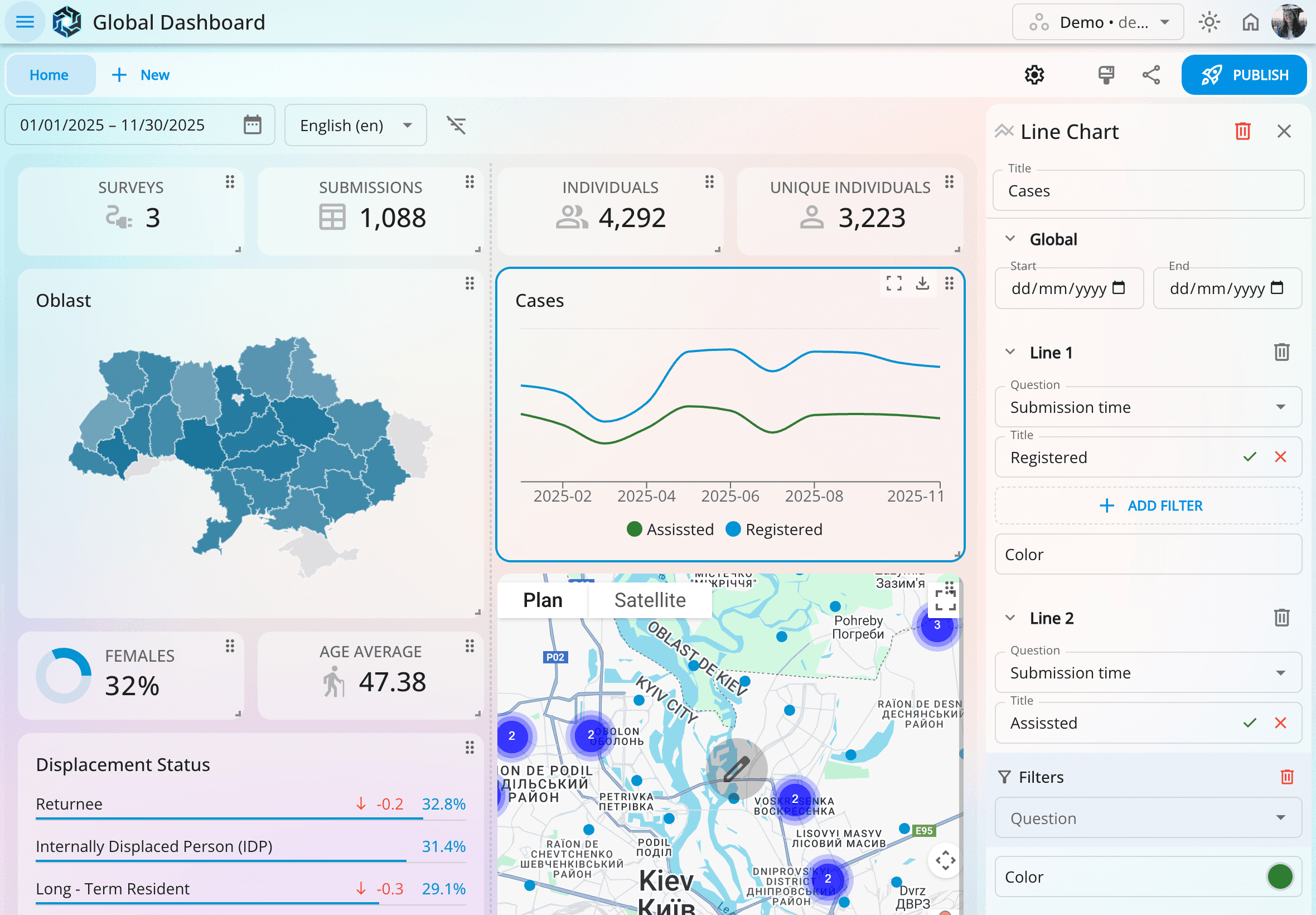
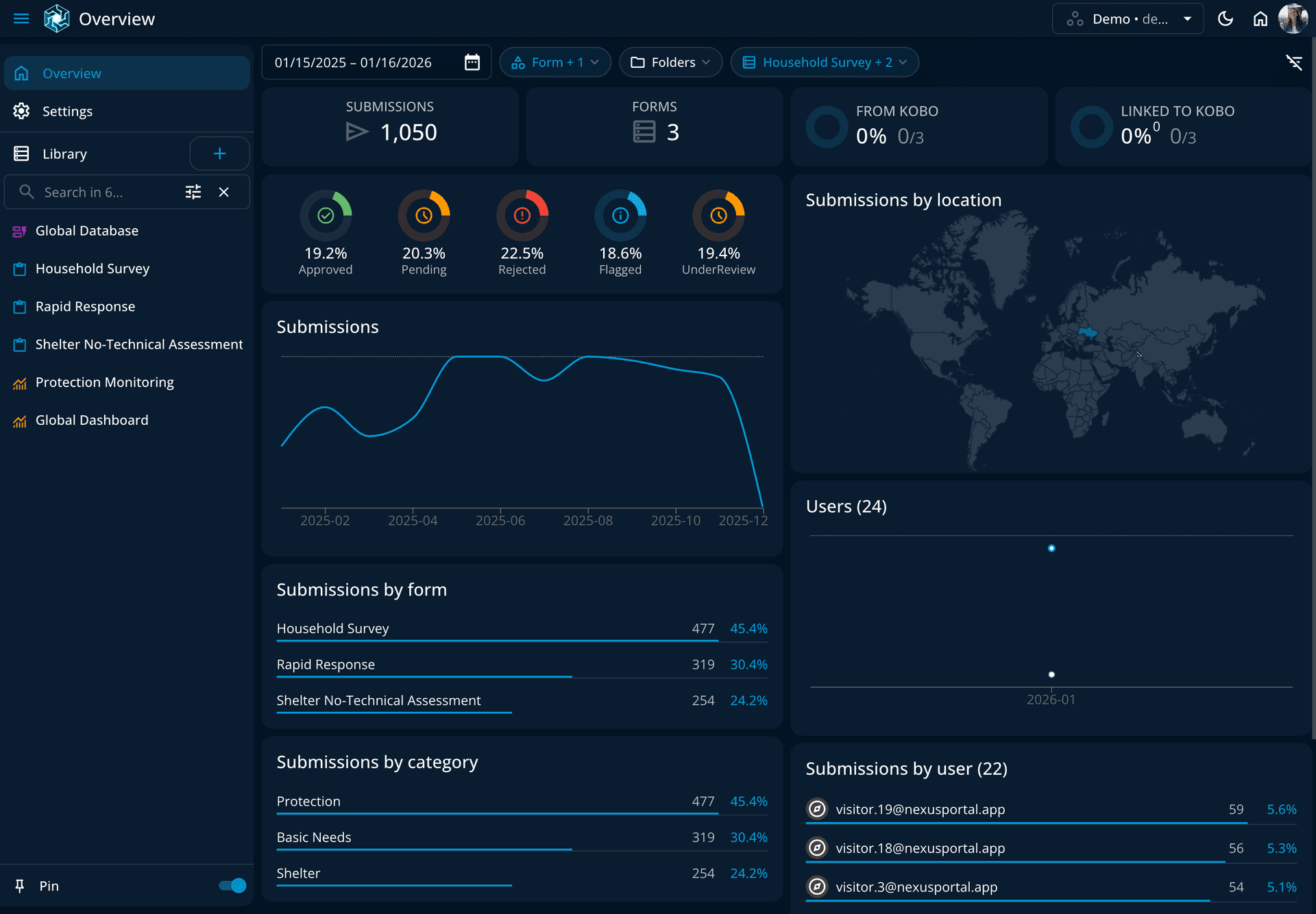
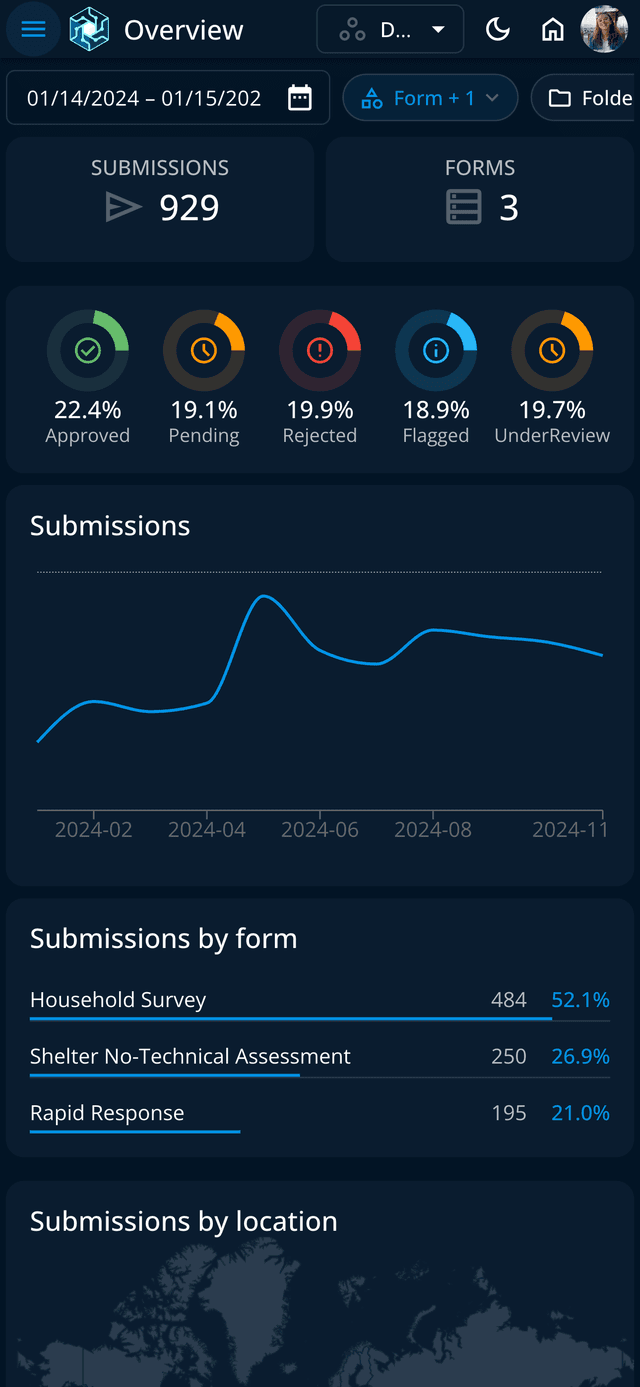
Turn your data into interactive dashboards, updated in real time and easy to build in minutes.
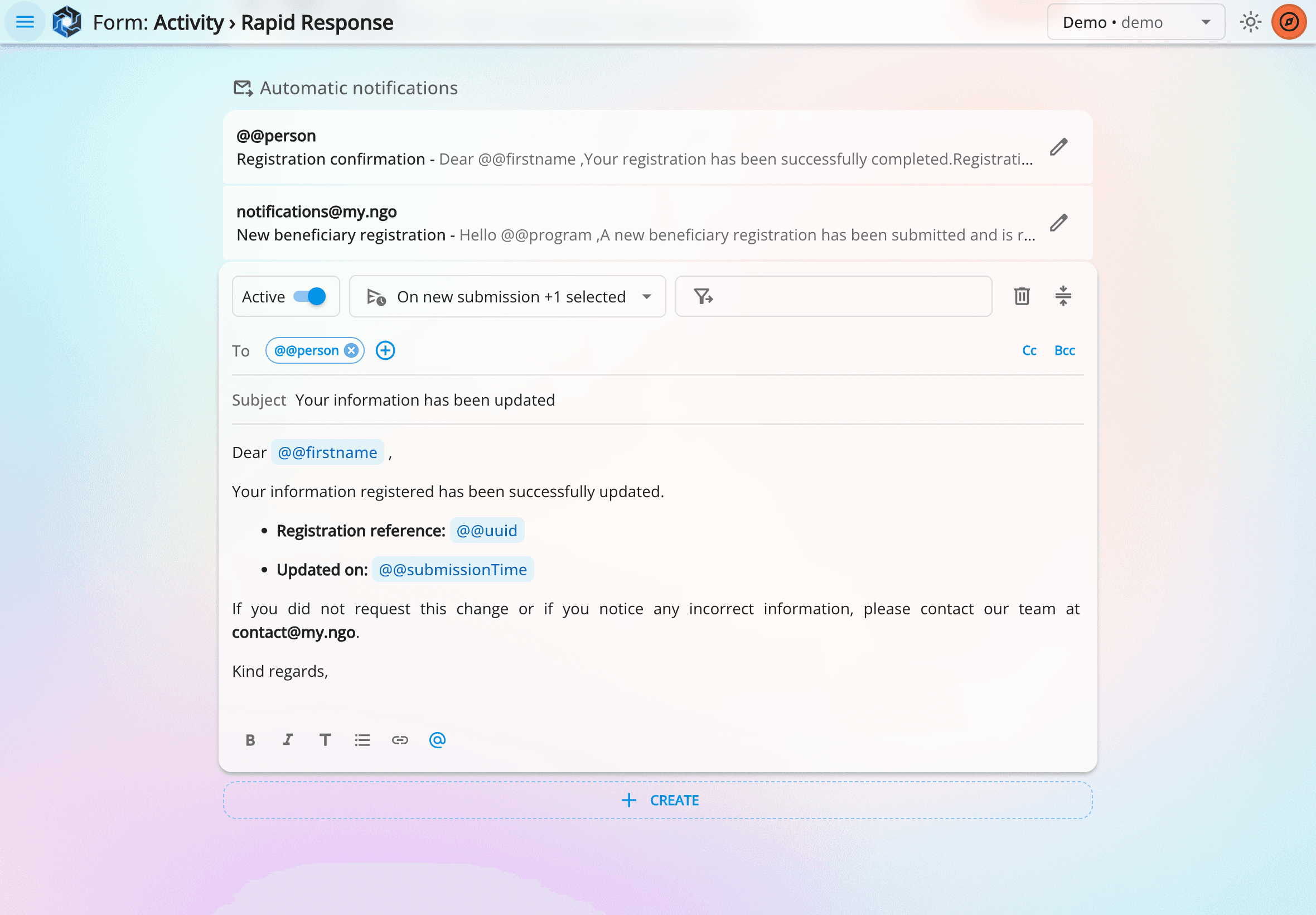
Set up automatic email notifications with flexible parameters and conditions, so the right people get the right information at the right time.
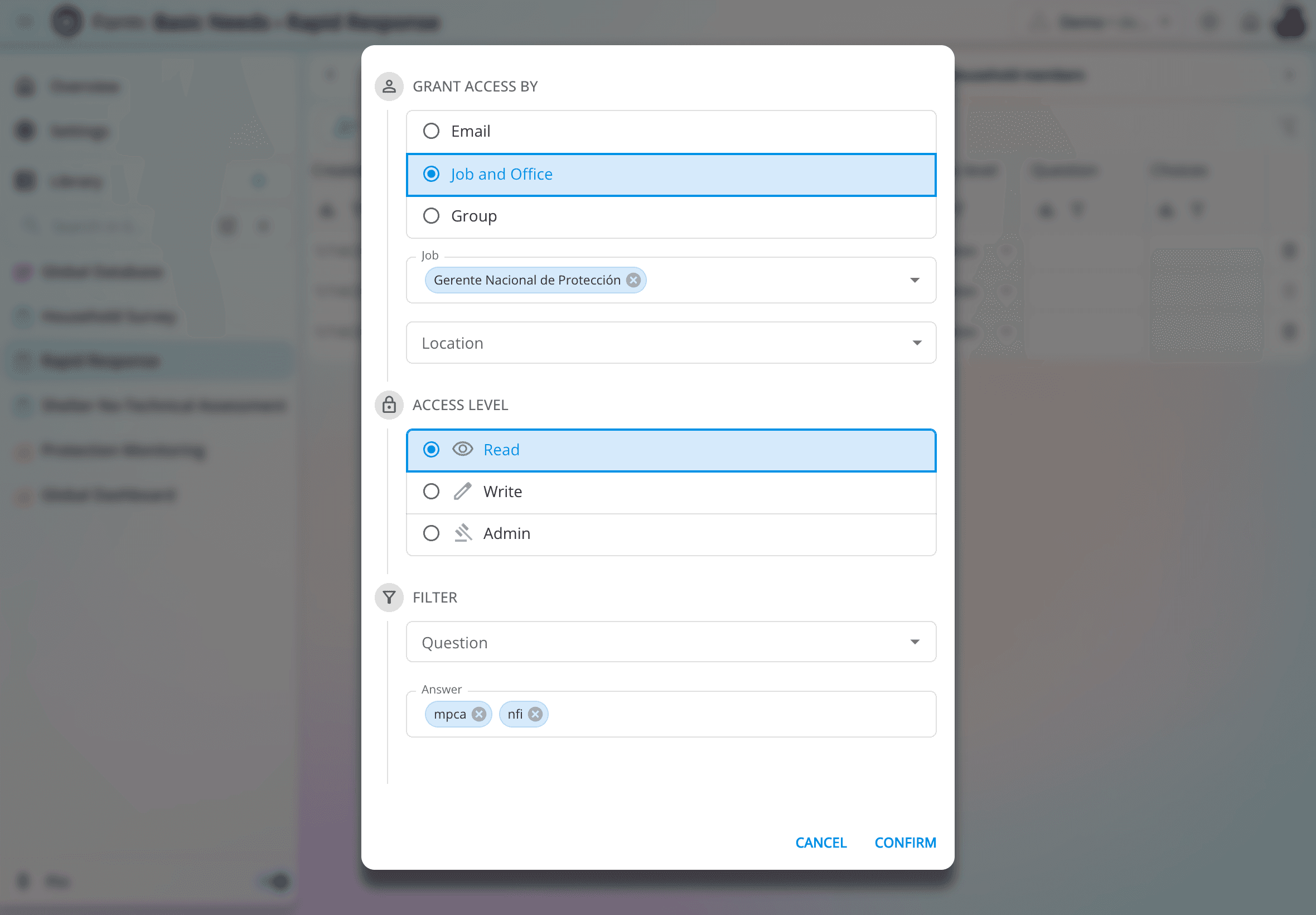
Accounts stay in sync with your organization. Define fine-grained permissions by user, role, or group, and keep datasets always up to date.
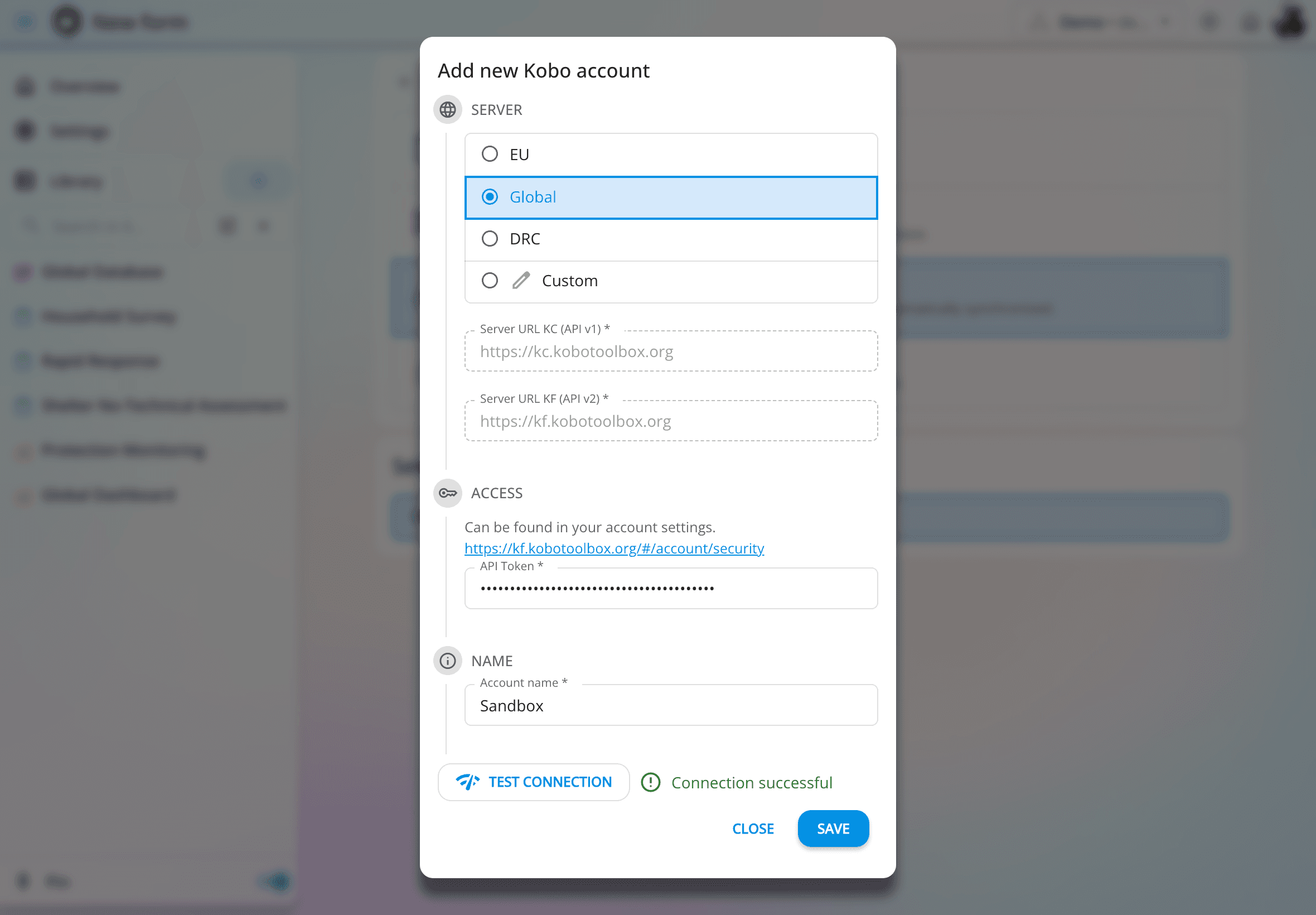
Already using KoboToolbox and not ready to move on? No problem. Import your data into NexusPortal and keep everything automatically synchronized.
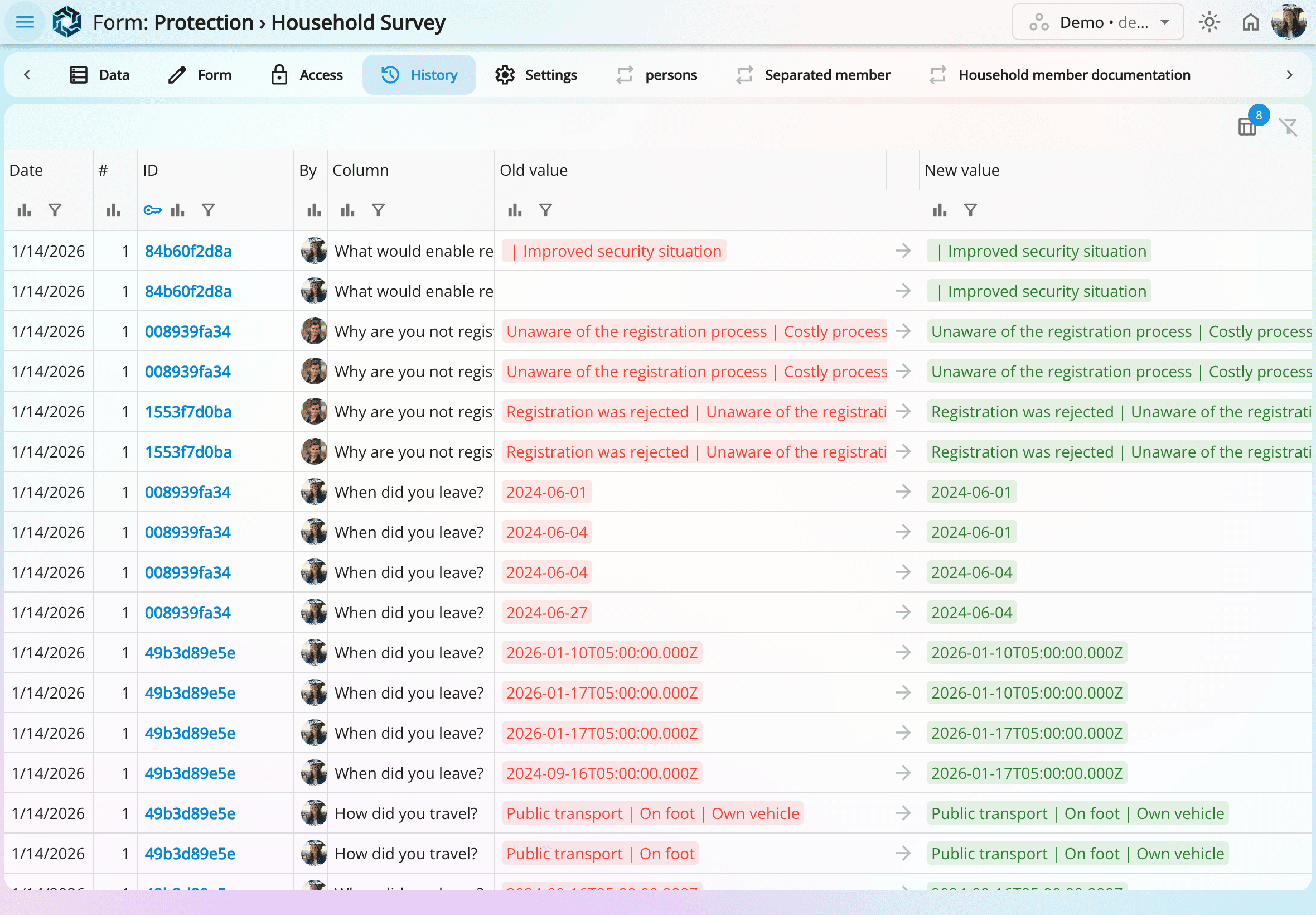
Work together live, see teammates' edits instantly and keep a transparent history.
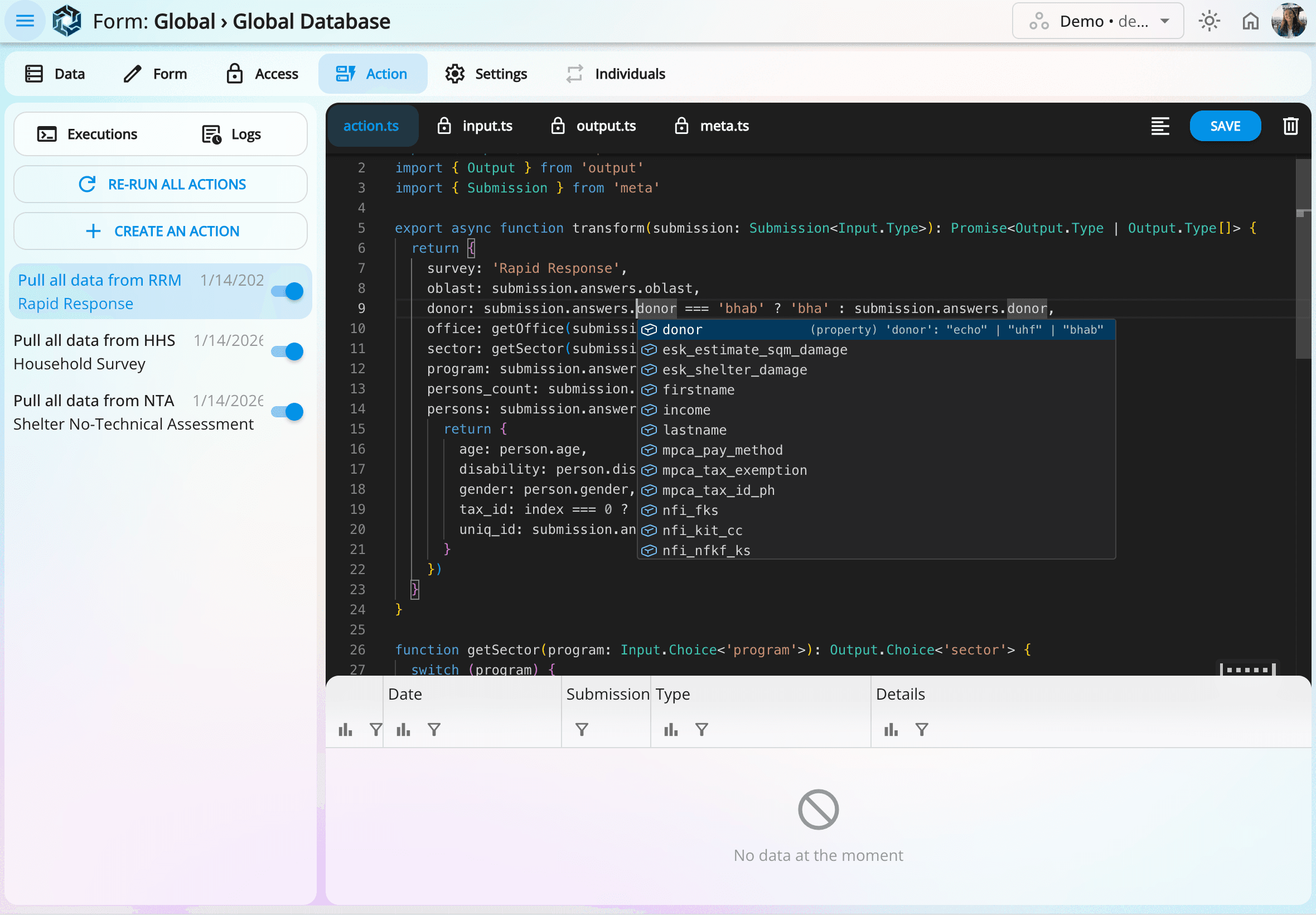
Connect, transform, and combine data from multiple surveys with confidence. NexusPortal validates every step so even complex workflows run safely and reliably.
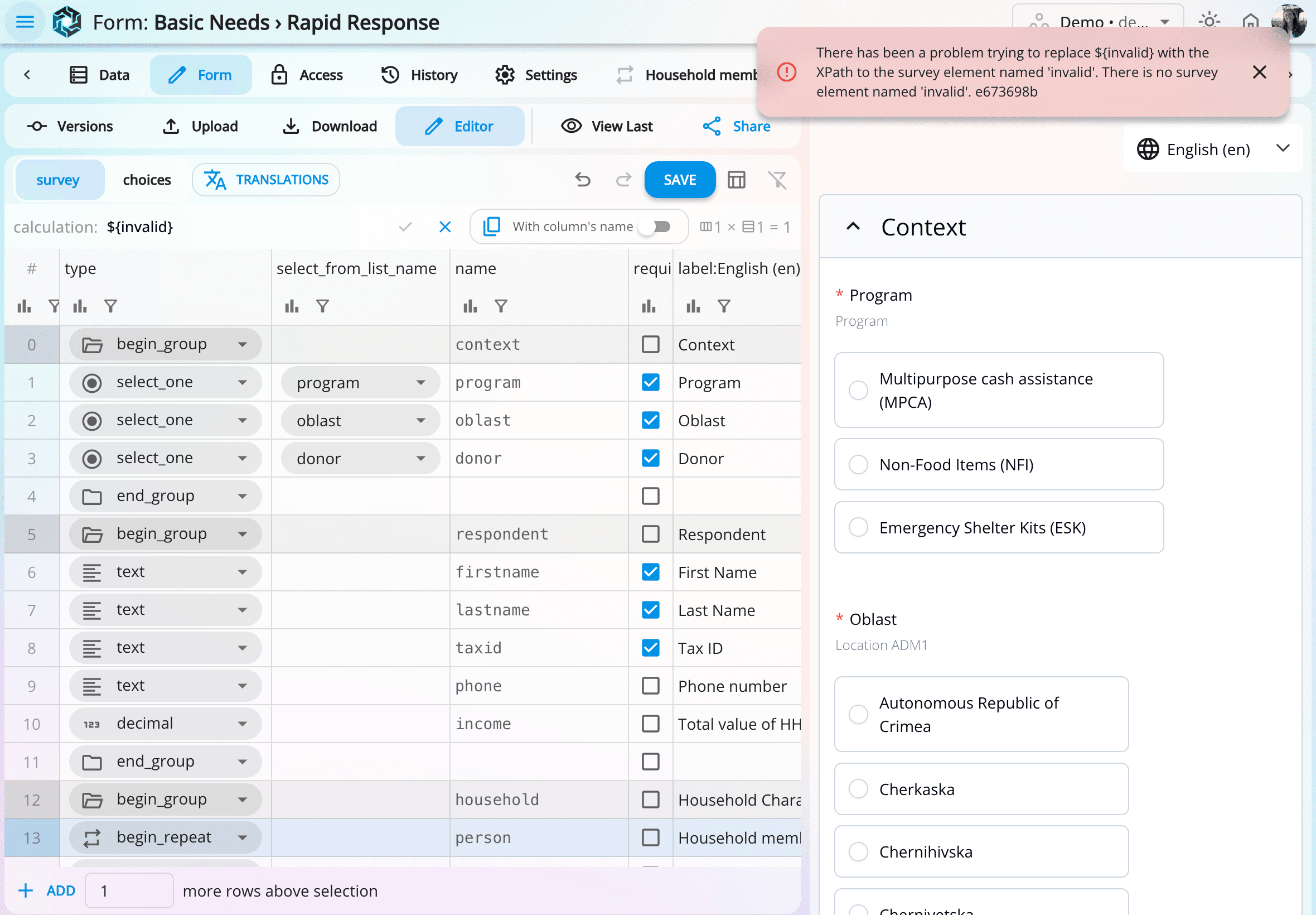
Stop uploading the same form over and over. See changes instantly, with clear indicators when something isn't valid.
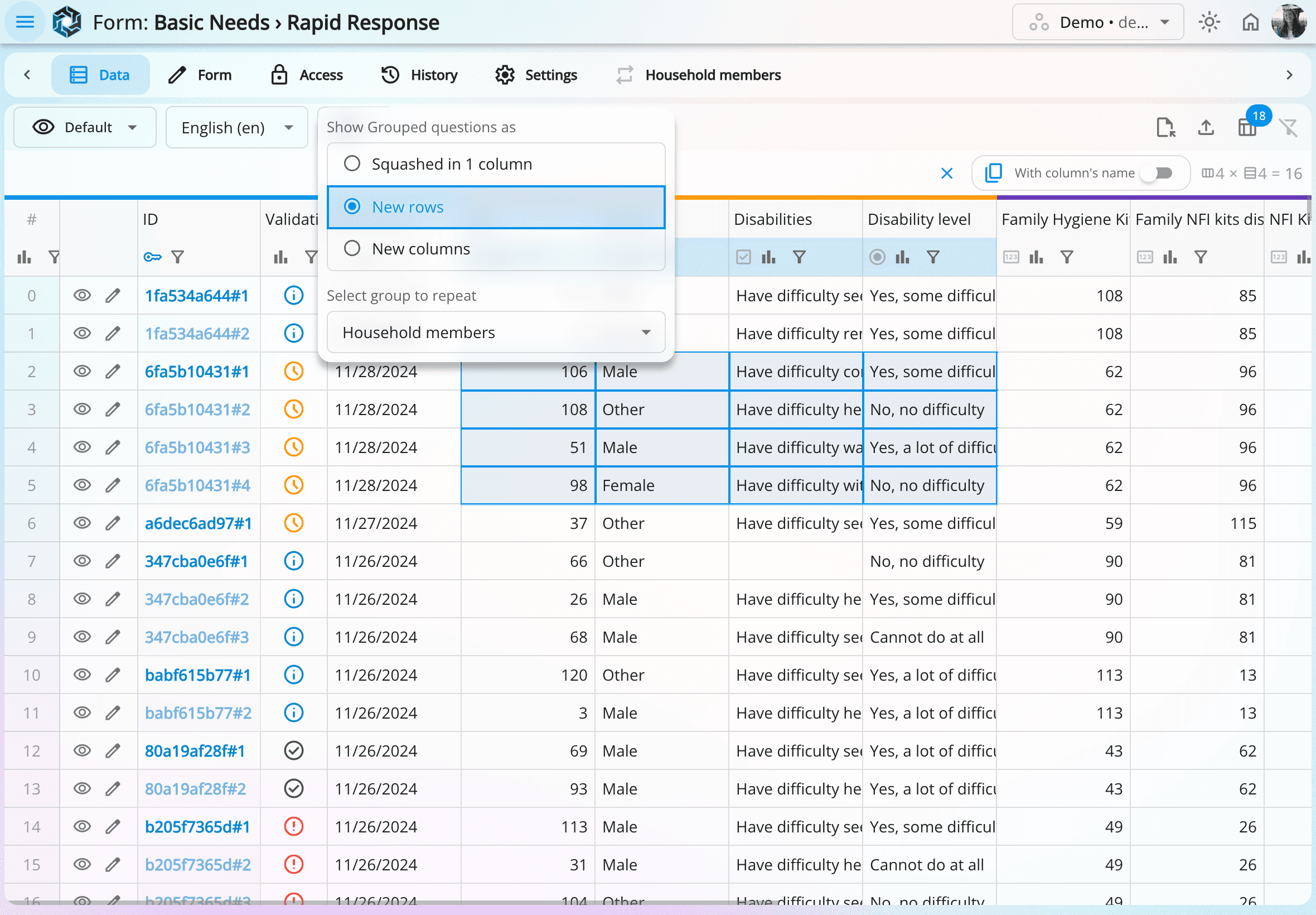
Forget complex workarounds for begin_repeat sections. NexusPortal presents them in a way that's easy to analyze.
Curious how teams operating in Ukraine reduced days of manual reporting to just a few clicks, while keeping data reliable?
Request a live demo by emailing contact@nexusportal.app.NexusPortal was born inside the Danish Refugee Council's Ukraine mission, the largest mission DRC has ever run. At that scale, traditional Information Management Systems simply broke down and became unmanageable.
Over more than two years, it was continuously developed and improved, until it became clear that the solution could benefit far beyond DRC. The platform has since been redesigned to work across organizations, in a flexible and fully generic way. Scaling from large, complex operations to the needs of small missions.
Most information management workflows today are fragmented across multiple tools that were never designed to work together.
For example, data might be collected in KoboToolbox, exported to Excel, and then visualized in Power BI, therefore without proper access management or a reliable single source of truth.
This often leads to scattered systems, manual updates and a loss of the overall picture. NexusPortal solves this by bringing collection, integration, management, and visualization together into one secure, cohesive platform.
If you are using KoboToolbox, you don't need to manually migrate your data. NexusPortal can automatically import and keep your Kobo data synchronized.
➡️ Updates made in NexusPortal will be reflected in KoboToolbox.
⬅️ Changes made in KoboToolbox will be detected and synced back to NexusPortal.
Once imported, your Kobo form data can be used in your workflow just like any other form. In short, you can start using NexusPortal without disrupting your current processes.
If your data is in Excel files, you can import them as well. Simply create a form that matches your data structure, and use NexusPortal's Excel import feature.
For any other data sources or special cases, contact us and we'll help you integrate your data into NexusPortal.
Yes. A free tier is available for personal use and small teams.
For larger organizations, we provide affordable pricing plans that cover infrastructure costs and support the long-term sustainability of the platform.
For now, we handle paid plans via invoice and bank transfer. After signing up for a paid plan, you'll receive an invoice with instructions to complete your payment. Paid plans will become automated via Stripe in the future.
No, we are fully transparent about our pricing, and you can find all the details on our Pricing page. There are no setup fees or hidden costs, and pricing is simple.
You can contact us to update your plan and increase your usage limit.
NexusPortal is hosted by Hetzner, a German cloud provider.
Application servers and file storage are located in Finland, ensuring compliance with GDPR.
Access is managed through organization accounts such as Microsoft 365. User identity, role, and organizational information are automatically synchronized. When staff join, change roles, or leave the organization, access permissions are updated automatically without manual intervention.
NexusPortal supports fine-grained, rule-based access control, allowing permissions to be restricted to specific subsets of data. This is especially useful for sensitive data and case management, ensuring users only see what is relevant to their role.
NexusPortal is built with security by design.
All traffic is encrypted via HTTPS, authentication relies on JWT-based tokens, and every action is verified server-side. Users can only access data they are explicitly authorized to see.
No.
NexusPortal does not sell, trade, or monetize user data in any form.
NexusPortal centralizes your data from multiple sources, keeps it synchronized as it evolves, and turns it into clean, structured datasets ready for analysis and reporting. You can explore data, apply transformations, build dashboards, and share insights without constantly updating formulas or rebuilding processes when forms or data change.
Teams can collect data directly within the platform.
They can also import KoboToolbox forms and keep them automatically synchronized as data evolves.
Additionally, the platform supports importing data from CSV and Excel (XLS/XLSX) files.
NexusPortal was originally built during the DRC Ukraine mission, where all data was managed in KoboToolbox. The first version of NexusPortal acted as a wrapper around KoboToolbox, adding essential features for field operations and extending its analytical and reporting capabilities.
Because many organizations and humanitarian missions already rely on KoboToolbox and may not want to migrate their existing data, NexusPortal retains this integration. Data is automatically imported and kept synchronized between KoboToolbox and NexusPortal, allowing teams to build on their existing workflows without disruption.
Yes. While NexusPortal integrates with KoboToolbox, it is not required.
You can import data from CSV and Excel (XLS/XLSX) files, or collect data directly within NexusPortal. These data sources benefit from the same synchronization, transformation, and access control features, with better performances.
This allows organizations to use NexusPortal as a standalone data platform, or alongside KoboToolbox, depending on their needs and existing workflows.